
Blog
How To
How to Increase Product Visibility in Shopping Carousels
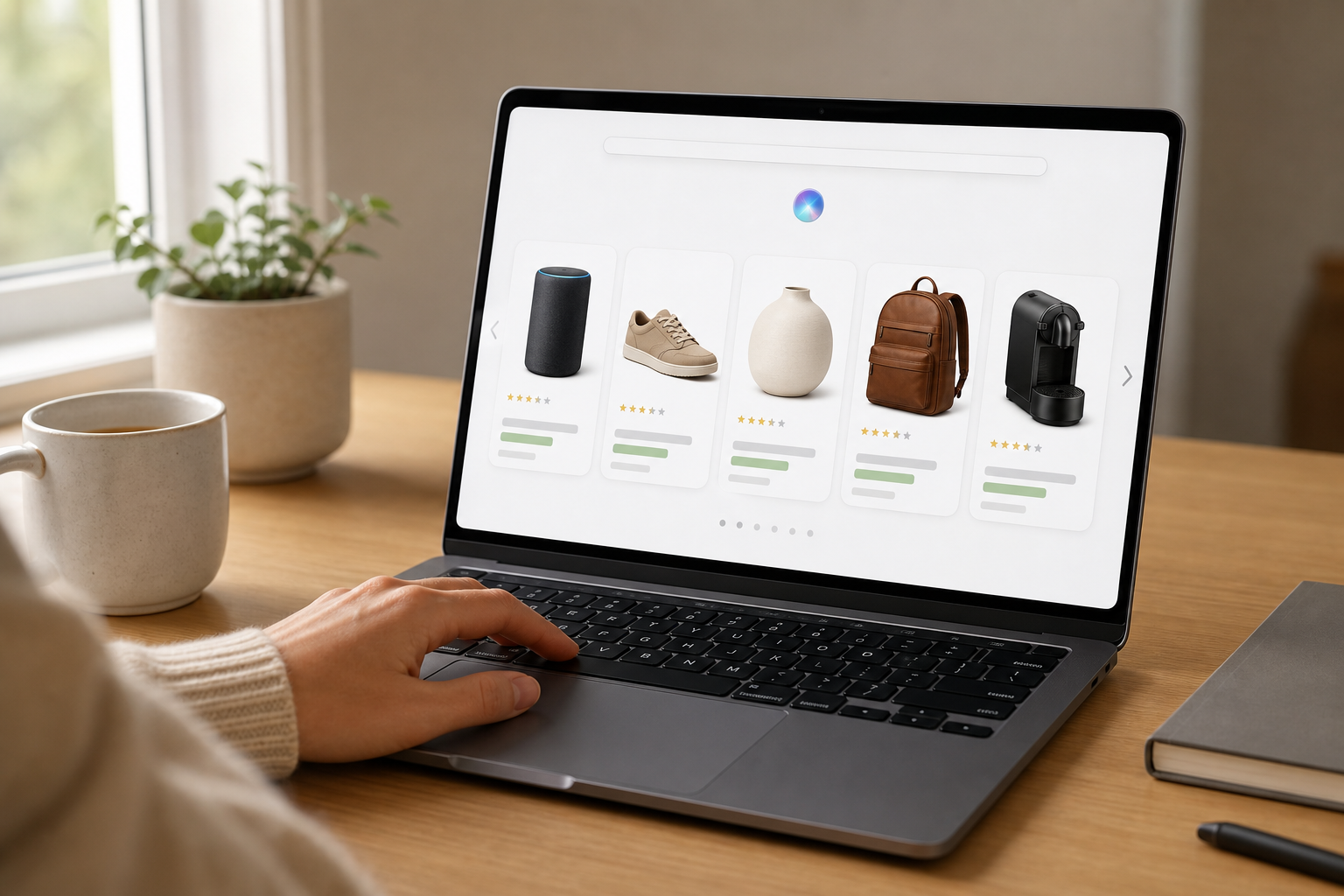
Product visibility in shopping carousels is no longer just a Google Shopping problem — it's an AI commerce problem. As ChatGPT, Perplexity, and Google AI Overviews serve product carousels directly inside generated answers, brands that don't optimize for these surfaces are invisible to buyers who never reach a traditional search results page.
The challenge is compounding. Organic traffic may look stable on paper while carousel share of voice quietly erodes — competitor products filling slots your listings should be winning. Most teams have no structured way to detect this until a revenue signal finally surfaces.
This guide walks through every step required to diagnose, fix, and track product visibility in AI-generated and Google shopping carousels. Each step is actionable, sequenced, and designed for marketing and e-commerce teams working without a dedicated technical resource.
Prerequisites: What You Need Before Step 1
Before diagnosing carousel visibility, confirm you have the right inputs in place. Missing any of these foundations means later steps will produce unreliable results — fix the baseline first.
You need admin access to your product feed (Google Merchant Center or equivalent), a working product data export you can edit, and at minimum a list of five to ten discovery queries your buyers actually use. You also need a method for tracking carousel appearances over time — a spreadsheet of manual spot-checks will not scale beyond a handful of products.
- Google Merchant Center or equivalent feed management access with admin permissions
- A current product data export (title, description, price, GTIN, category, images, attributes)
- A list of 5–10 high-intent discovery queries representative of how buyers search for your products
- A baseline record of current carousel appearance frequency — even a rough manual snapshot
- A shopping carousel visibility tracking platform or tool capable of logging win rate and position over time
- Competitor product names or domains you want to benchmark against in carousel results
Step 1: Audit Your Current Shopping Carousel Visibility
You cannot fix what you have not measured. The first step is establishing a clear baseline — how often your products appear in carousel results, at what average position, and against which competitors. Without this, any optimization work is directionally blind.
Run your core discovery queries across Google Shopping and AI platforms including Google AI Overviews and Perplexity. Log which products appear, where yours ranks when it does appear, and which competitor listings are filling slots instead. This audit typically takes two to three hours for a focused product category — longer if you're working across multiple lines.
Time estimate: 2–4 hours for initial audit, per product category.
- Run your 5–10 discovery queries across Google Shopping and AI-powered surfaces (ChatGPT, Perplexity, Google AI Overviews)
- Record which of your products appear, their carousel position, and whether competitors are occupying adjacent or higher slots
- Note any queries where your products are entirely absent from carousel results
- Export current Merchant Center diagnostics — flag any disapproved or limited-visibility products
- Document the date and platform for every data point so week-over-week comparison is possible
Step 2: Fix the Five Core Product Data Gaps
Incomplete product data is the primary reason products fail to appear in shopping carousels — both Google Shopping and AI-generated comparison results. AI engines assembling carousel answers pull structured attributes directly; if yours are missing or inconsistent, the product is skipped.
The five attributes most commonly responsible for low carousel appearance frequency are: product title quality, GTIN or MPN accuracy, product category assignment, price currency and availability status, and image quality. Address these in order — title and identifier issues cause outright exclusion, while image and category gaps reduce ranking position.
Common mistake to avoid: Do not pad product titles with keyword strings. AI shopping surfaces penalize keyword stuffing in titles and reward natural, attribute-rich descriptions — brand, product type, key spec, and variant in that order.
- Rewrite product titles to follow the format: Brand + Product Type + Key Attribute + Variant (e.g. size, color, count)
- Verify GTIN or MPN accuracy for every SKU — incorrect identifiers cause silent exclusion from carousel eligibility
- Reassign miscategorized products using the most specific available Google Product Category path
- Confirm price and availability data is current and matches the landing page exactly
- Replace any image under 800px on the shortest side — low-resolution images reduce carousel ranking
- Add missing structured attributes: material, age group, gender, condition, and feature highlights where applicable
Step 3: Optimize Your Shopping Feed for Carousel Placement
Shopping feed optimization is distinct from fixing data gaps — it moves from correcting errors to actively engineering the feed for carousel eligibility and position. A clean feed is the floor; an optimized feed is what drives win rate improvement.
AI engines evaluating products for shopping carousel placement weigh attribute completeness, price competitiveness, review signals, and structured description clarity. These are the same dimensions that influence Google Shopping carousel ranking, but AI surfaces apply them to a generative answer context — meaning your product may be evaluated against a query it was never explicitly bid against.
Time estimate: 4–8 hours per feed, depending on SKU count. Changes typically take 3–7 days to propagate through Merchant Center and begin reflecting in carousel results.
- Expand product descriptions to 500–1,000 characters, leading with the most differentiating feature or use case
- Add structured highlight fields (product highlights or feature bullets) wherever the feed schema supports them
- Map every product to a relevant Google Shopping price tracker benchmark — knowing the price band your category occupies helps calibrate positioning
- Include review count and aggregate rating data via the reviews feed or structured markup on the product page
- Submit supplemental feeds for sale prices, custom labels, and promotional overlays to increase carousel prominence
- Segment your feed by product performance tier — prioritize feed optimization effort on your highest-margin, highest-volume SKUs first
Step 4: Optimize Product Attributes Specifically for AI Shopping Visibility
Google Shopping and AI-generated carousels are not the same surface. When ChatGPT or Perplexity assembles a shopping comparison answer, it draws on structured product attributes, editorial reviews, and cited sources — not just your Merchant Center feed. Optimizing for AI shopping visibility requires a second layer of work beyond feed management.
AI engines generating shopping recommendations evaluate products based on how well their descriptions answer the implied buyer question. A query like 'best running shoes under $120 for flat feet' requires your product content to explicitly address price range, use case, and the relevant feature — not just contain the keywords. This is where product page content directly influences carousel appearance frequency.
Common mistake to avoid: Do not assume your Merchant Center feed alone is sufficient for AI carousel inclusion. AI engines also read and cite your product detail pages — content gaps on those pages create a visibility gap the feed cannot compensate for.
- Identify the top three buyer questions for each product category and confirm your product pages answer them explicitly
- Add structured FAQ or Q&A sections to product pages — AI engines cite these directly when generating carousel comparison answers
- Use specific, measurable attribute language: dimensions, materials, certifications, compatibility, and use case rather than vague descriptors
- Ensure product page content and feed attributes are consistent — discrepancies between the two reduce citation eligibility
- Include third-party review signals (aggregate ratings, review excerpts) on the product page where AI crawlers can access them
Step 5: Track Shopping Carousel Visibility With a Dedicated Platform
Manual spot-checking is not a tracking strategy. Once feed and content optimizations are live, the only way to measure their impact — and catch new drops before they compound — is with a platform that logs carousel win rate, average position, and appearance frequency over time.
This is where most e-commerce and retail teams have a structural gap. Generalist visibility tools report brand mentions or SERP positions; they do not break out shopping carousel presence as a distinct, trackable metric. CiteHQ AI's Shopping Carousel and Product Visibility Tracking is built specifically for this layer — reporting win rate, position, and appearance frequency per product and per query, across AI-generated shopping results.
Tools in this category differ in how deeply they classify what's appearing alongside your products. The most useful platforms identify which competitor listings are winning the carousel slots you're missing — turning a visibility drop into a concrete, actionable competitor gap analysis.
- Set up tracked queries covering your highest-intent discovery prompts — both branded and unbranded shopping queries
- Configure competitor product tracking so you can see win rate comparisons side by side, not just your own appearance frequency
- Review carousel position trends weekly — a drop in average position often precedes a drop in win rate by one to two weeks
- Flag queries where competitors consistently outrank your products and audit those competitors' feed and content approach
- Use appearance frequency data to prioritize which SKUs need feed re-optimization versus which need product page content work
Step 6: Diagnose Why Products Are Still Missing From Results
After completing feed optimization and enabling visibility tracking, some products will still fail to appear in carousel results. Diagnosing this requires distinguishing between two fundamentally different failure modes: the product is not being crawled, or it is being crawled but not selected.
AI engines must crawl and read a page before they can cite it in a shopping answer. If your product page has not been visited by AI crawlers — GPTBot, Google-Extended, or similar agents — no amount of content optimization will improve carousel inclusion. Crawler visit tracking reveals whether the problem is upstream of the content quality question entirely.
Common mistake to avoid: Do not assume a crawl issue is a content issue, or vice versa. The fix for 'AI isn't reading this page' (crawler access, robots.txt settings, page load speed) is completely different from the fix for 'AI is reading this page but not citing it' (content relevance, attribute completeness, source authority).
- Check robots.txt and meta robots tags — confirm AI crawler agents are not blocked from product pages
- Review server logs or AI crawler visit tracking data to confirm GPTBot and Google-Extended are actually visiting your product URLs
- For products receiving crawler visits but no carousel appearances, audit content relevance against the specific query variants driving carousel results
- Check page load speed on product pages — slow-loading pages are crawled less frequently by AI agents
- Identify whether missing products share a common category, template, or URL pattern that may indicate a systemic crawl block rather than individual page issues
Step 7: Build a Repeatable Weekly Optimization Cadence
Shopping carousel visibility is not a one-time fix — it degrades as competitors update their feeds, AI engine behavior shifts, and product catalogs change. Teams that maintain visibility over time do so through a structured weekly review, not periodic audits.
A repeatable cadence converts visibility tracking data into a rolling action list. Each week: review win rate and position trends, identify any queries where competitor products have increased their carousel share, and prioritize one to two specific feed or content actions in response. This approach compounds over months — each weekly improvement builds on the previous one rather than starting from scratch.
Success criterion: You'll know this process is working when your tracked discovery queries show consistent win rate at or above your category benchmark, your average carousel position is stable or improving week over week, and competitor gaps are shrinking rather than widening. A measurable improvement in appearance frequency — typically 20–40% above baseline — within 30–45 days of completing Steps 1–6 is a reliable confirmation that the process has been executed correctly.
- Block 60–90 minutes per week for a structured carousel visibility review using your tracking platform data
- Maintain a rolling log of feed changes and content updates with the date applied — this makes it possible to correlate specific actions with visibility changes
- Set a win rate threshold alert: if win rate drops more than 10 percentage points week over week, treat it as an immediate investigation priority
- Review competitor carousel share monthly — identify which competitor domains are consistently winning citations you should be earning
- Re-audit product data completeness quarterly, especially after catalog updates, price changes, or new product launches
| Factor | Google Shopping Carousel | AI-Generated Shopping Carousel | What to Fix First |
|---|---|---|---|
| Product Title Quality | High impact on eligibility and click-through | High impact — AI reads title as primary attribute signal | Rewrite titles: Brand + Type + Key Spec + Variant |
| GTIN / MPN Accuracy | Required for catalog matching and eligibility | Indirect — influences source trustworthiness | Audit and correct all product identifiers |
| Product Page Content | Low direct impact — feed data dominates | High impact — AI cites page content, not just feed | Add FAQ sections and attribute-specific copy to PDPs |
| Review Signals | Displayed in carousel but not a ranking factor | Actively weighted in AI product comparison answers | Integrate aggregate ratings via reviews feed and markup |
| Image Quality | Minimum 800px required; higher resolution preferred | Indirect — influences click behavior post-carousel | Replace all images below 800px shortest side |
| Price Competitiveness | Directly influences carousel position and CTR | Weighed against category price band in AI comparisons | Benchmark against category price range; adjust or justify premium |
| Crawler Access | Google-controlled — not a merchant variable | Critical — AI agents must crawl page before citing it | Audit robots.txt and confirm AI crawlers are not blocked |
Frequently Asked Questions
-
Why is my product not showing in AI shopping results?
The two most common causes are incomplete product data in your feed and AI crawlers being blocked from your product pages. If your GTIN, category, or title attributes are missing or inconsistent, AI engines skip the product when assembling carousel answers. If AI crawlers like GPTBot haven't visited your product pages, no content optimization will resolve the absence — diagnose crawler access first, then address data quality. -
How do I increase product visibility in shopping carousels?
Start by auditing your feed for the five core data gaps: title quality, identifier accuracy, category assignment, price and availability accuracy, and image resolution. Then optimize product page content to answer buyer questions explicitly, confirm AI crawlers can access your pages, and set up weekly carousel win-rate tracking. Improvements in appearance frequency typically become measurable within 30 days of completing feed and content changes. -
What are the main shopping carousel ranking factors for AI visibility?
AI-generated shopping carousels weight attribute completeness, product page content relevance, review signals, price positioning within the category, and crawler accessibility. Unlike standard Google Shopping, AI surfaces also evaluate how well product page copy answers the implied buyer question — not just whether the feed data is present. Structured descriptions, FAQ sections, and accurate identifiers all contribute to carousel inclusion and position. -
How do I fix low product visibility in AI shopping results?
First, confirm AI crawlers are accessing your product pages — check robots.txt and server logs for GPTBot and Google-Extended visits. If crawl access is confirmed, audit content relevance: do your product pages explicitly address the attributes AI engines weigh (price range, use case, features, ratings)? Feed data completeness and product page content must both be optimized; fixing one without the other leaves visibility gaps. -
What is shopping feed optimization and why does it affect carousel placement?
Shopping feed optimization is the process of completing, structuring, and enriching your product data — titles, attributes, identifiers, images, pricing — so that shopping platforms and AI engines can accurately evaluate and display your products. A complete, well-structured feed is the baseline requirement for carousel eligibility. Optimization beyond the baseline — adding highlights, review signals, and supplemental feed data — improves position and win rate within the carousel. -
How do I track product visibility in shopping carousels over time?
Manual spot-checking across AI platforms doesn't scale and produces data that goes stale immediately. A dedicated shopping carousel visibility tracking platform logs win rate, average position, and appearance frequency per product and per query over time — making week-over-week comparison possible. CiteHQ AI's Shopping Carousel and Product Visibility Tracking is built specifically for this layer, reporting these metrics across AI-generated shopping results for retail teams. -
Why is my product visibility dropping in AI shopping results?
Visibility drops typically follow one of three patterns: a competitor updated their feed or content and improved their carousel position relative to yours; a product data issue — price change, availability status, or identifier error — made your product ineligible; or an AI engine updated how it weights certain attributes. Weekly win-rate tracking makes it possible to catch drops within days and correlate them with specific feed or content changes. -
How do I maximize visibility in shopping carousels for multiple products?
Prioritize optimization effort by product performance tier — highest-margin and highest-volume SKUs first. Apply feed and content fixes systematically across those priority SKUs, then use carousel visibility tracking data to identify which specific queries each product is missing from. Competitor gap analysis — seeing which competitor listings occupy the slots your products should hold — helps direct optimization work to the highest-impact queries rather than spreading effort evenly.